Discover the complete guide on how to take off 2-step verification on Roblox. This comprehensive resource is designed for gamers who manage busy lives, offering straightforward steps to streamline your login process. Understand the implications, alternative security measures, and how to safely navigate your Roblox account settings. Many gamers, particularly those balancing work and family, often seek efficient ways to access their favorite platforms without compromising security. This article addresses common concerns about repeated verification prompts and provides clear, actionable advice. Learn to manage your account security effectively while maintaining quick access to your virtual worlds. We delve into why you might consider disabling it, how to do it correctly, and what precautions to take. Stay informed about the best practices for Roblox account management in 2026.
How do I turn off 2-Step Verification on Roblox without email access?
Unfortunately, you typically need access to the email address linked to your Roblox account to disable 2-Step Verification. This is a critical security measure to prevent unauthorized changes. If you no longer have access, you'll need to contact Roblox Support directly to verify your identity and regain access to your account.
What are the risks of disabling 2FA on my Roblox account?
Disabling 2-Step Verification significantly increases the risk of unauthorized access to your Roblox account. Without the secondary verification step, anyone who obtains your password can log in. This can lead to your Robux being spent, items stolen, or your account being used for malicious purposes, causing distress and potential loss of your hard-earned progress and digital assets.
Can I temporarily disable Roblox 2FA for a quick login?
Roblox does not offer a "temporary" disablement for 2-Step Verification. When you disable it, it remains off until you manually re-enable it. While it might seem convenient for a quick login, it leaves your account vulnerable for an extended period. It's generally safer to keep it enabled and use a password manager or trusted device option if available.
Will disabling 2-Step Verification make my Roblox account easier to recover if I forget my password?
No, disabling 2-Step Verification does not make account recovery easier. In fact, it might complicate things. Account recovery often relies on the verified email address. While 2FA protects login, a strong password and secure email are key for recovery. Always ensure your linked email is up-to-date.
Is it possible to disable 2FA if I'm logged in on multiple devices?
Yes, you can disable 2-Step Verification from any device where you are currently logged into your Roblox account and can access your security settings. The change will apply across all devices. However, you will still need to verify the action via the email associated with the account.
Why does Roblox make it somewhat challenging to disable 2-Step Verification?
Roblox intentionally adds a verification step via email to make it "challenging" to disable 2-Step Verification because it's a vital security feature designed to protect your account. This extra step prevents malicious actors from easily removing your security if they happen to gain access to your password, ensuring only the legitimate account owner can make such a significant change.
Are there any penalties for turning off 2FA on Roblox?
No, there are no direct penalties from Roblox for turning off 2-Step Verification. It's a user choice. However, the indirect penalty is a significantly reduced security posture for your account, making it more susceptible to hacking or unauthorized access. Roblox encourages 2FA for account safety.
As a busy gamer balancing work, family, and a precious few hours for digital adventures, the last thing you need is friction getting into your favorite games. Roblox, a fantastic platform for creative exploration and social play, is no exception. While 2-step verification, often called 2FA, is a crucial security layer, there might be times you wonder how to take off 2-step verification on Roblox. Perhaps you're encountering persistent glitches, changing devices frequently, or simply seeking a smoother login for your dedicated gaming sessions. You're not alone; many adult gamers, part of the 87% who game regularly and spend an average of 10+ hours a week, often look for ways to optimize their experience without sacrificing security entirely. This guide is crafted for you, the seasoned player who values both security and efficiency.
We understand that time is valuable, and waiting for verification codes can disrupt your flow, especially when you're just trying to unwind after a long day or connect with friends online. In 2026, with mobile gaming dominating and cross-play becoming standard, flexible account management is key. This article will walk through the exact steps to disable Roblox 2-Step Verification, discuss its implications, and offer smart alternatives to keep your account safe. Our goal is to ensure your valuable gaming time is spent playing, not troubleshooting, while empowering you to make informed decisions about your digital security. Let's dive in and take control of your Roblox login experience.
Why might a gamer want to disable 2-Step Verification on Roblox?
For many adult gamers, the decision to take off 2-step verification on Roblox often stems from a desire for convenience and efficiency. Imagine you're a parent trying to squeeze in a quick gaming session after the kids are asleep, or a professional looking to relax with friends in a virtual world after a demanding workday. Every extra step, like waiting for an email verification code, can feel like a hurdle. Common pain points include slow email delivery, losing access to the linked email address, or simply finding the constant prompts disruptive, especially when logging in from trusted personal devices.
While 2FA is vital for security, some players experience technical glitches where codes don't arrive or the system repeatedly asks for verification. For those managing multiple Roblox accounts, perhaps for different gaming styles or with family members, the constant back-and-forth with verification can be cumbersome. Ultimately, the motivation is often to streamline the login process, reduce frustration, and get straight into the fun, making their limited gaming time more enjoyable and less about technical roadblocks.
Is it safe to take off 2-Step Verification from my Roblox account?
Objectively speaking, taking off 2-Step Verification from your Roblox account inherently reduces its security. 2FA acts as a critical second layer of defense, meaning even if a malicious actor somehow gets hold of your password, they still cannot access your account without that second code, typically sent to your email. Without 2FA, your account's protection rests solely on the strength of your password.
However, "safe" is relative and depends on your individual security practices. If you use an incredibly strong, unique password that you never reuse, and your email account itself is highly secured with its own 2FA, the risk might be mitigated. For most busy gamers, balancing multiple online accounts, it's easy to fall into password reuse or less complex passwords. Therefore, while it is possible to remove it, it's generally not recommended for maximum security. You must weigh the convenience against the increased risk of losing your Robux, valuable items, or even your entire account to unauthorized access.
How do I actually take off 2-Step Verification on Roblox?
Disabling 2-Step Verification on Roblox is a straightforward process, but requires access to your account and its linked email. Follow these steps carefully to ensure a smooth transition:
- Log into your Roblox account: Go to the Roblox website or open the Roblox app on your PC or mobile device. Enter your username and password as usual.
- Access Account Settings: Once logged in, click on the gear icon located in the top-right corner of the screen (on desktop) or tap the three dots icon (on mobile) to open the settings menu. Select "Settings."
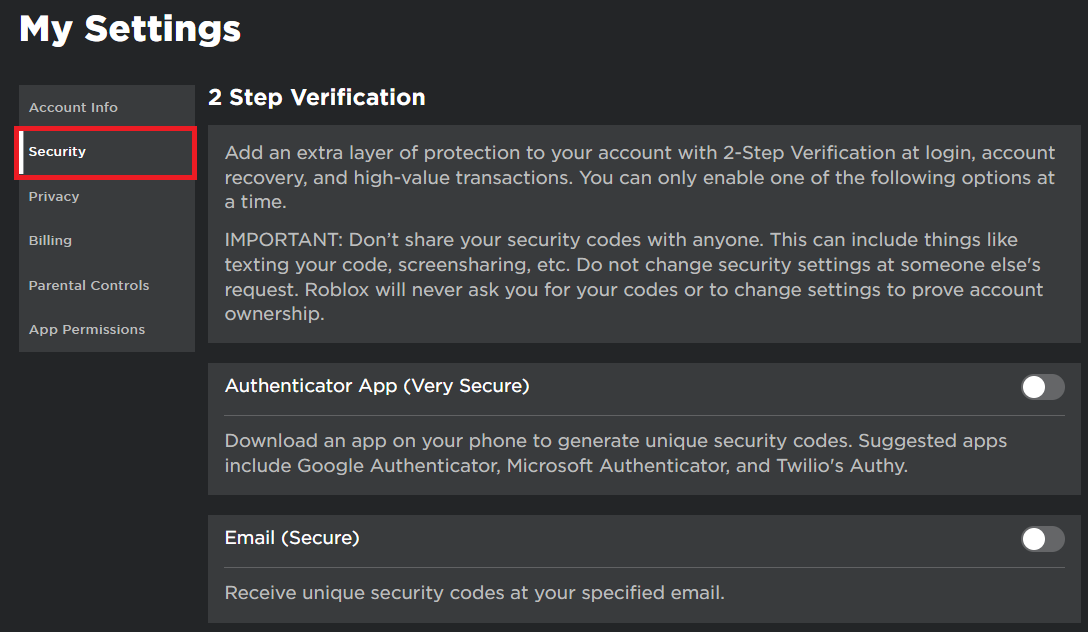
- Navigate to the Security Tab: Within your Account Settings, look for the "Security" tab on the left-hand side menu (desktop) or near the top of the options (mobile). Click or tap on it.
- Locate 2-Step Verification: Under the Security tab, you will find the "2-Step Verification" section. It will likely show as "Enabled" or "On."
- Disable 2-Step Verification: Click or tap the toggle switch or button to turn off 2-Step Verification.
- Confirm via Email: Roblox will send a confirmation email to the email address linked to your account. This is a crucial security step. Open this email and follow the instructions to confirm that you wish to disable 2FA. Without this confirmation, 2FA will remain active.
- Verification Complete: Once you confirm through the email, 2-Step Verification will be successfully disabled on your Roblox account.
Always ensure you have access to your registered email before attempting this process.
What happens after I disable 2-Step Verification on Roblox?
Once you successfully take off 2-step verification on Roblox, the most noticeable change will be your login process. You will no longer receive or be prompted to enter a verification code from your email or authenticator app when logging into your account from new devices or after a certain period of inactivity. This means quicker access to your games and virtual worlds, which is a significant advantage for those prioritizing speed and convenience.
However, it's important to be fully aware of the security implications. Your Roblox account will now rely solely on your password for protection. This elevates the importance of having an extremely strong and unique password that is difficult to guess and not reused across other online services. Without the added layer of 2FA, your account becomes a more attractive target for hackers, as a single compromised password could grant them full access. Many gamers, especially those with valuable Robux or rare in-game items, find this trade-off too risky.
What are the best alternative security measures for my Roblox account?
If you've decided to take off 2-step verification on Roblox for convenience, it's imperative to implement other robust security measures to protect your account. Your primary defense becomes a strong, unique password. This means a password that is long (12+ characters), contains a mix of uppercase and lowercase letters, numbers, and symbols, and is not used for any other online service. Consider using a reputable password manager to generate and store these complex passwords securely, eliminating the need to memorize them.
Beyond your password, securing your linked email account is paramount. Ensure your email itself has 2FA enabled, as it's the gateway for password resets and account recovery. Regularly review your Roblox account settings for any suspicious activity. Be vigilant about phishing attempts; Roblox will never ask for your password via email or unofficial links. Lastly, consider logging out of your account on public or shared devices, and always keep your operating system and web browser updated to protect against vulnerabilities. These practices create a robust defense even without Roblox's native 2FA.
Can I re-enable 2-Step Verification on Roblox later if I change my mind?
Absolutely! The decision to take off 2-step verification on Roblox is not permanent, and you can easily re-enable it at any time. Roblox understands that user needs and preferences can change, and they provide the flexibility to adjust your security settings as required. If you find that the convenience of a faster login doesn't outweigh the peace of mind that 2FA provides, or if you become more concerned about your account's vulnerability, you can always switch it back on.
The process to re-enable 2FA is essentially the reverse of disabling it. You simply navigate back to your Account Settings, go to the Security tab, and toggle the 2-Step Verification option back to "Enabled" or "On." Roblox will again send a confirmation email to your registered address to verify that you are the legitimate owner making this change. This flexibility allows you to adapt your account security to your current needs and comfort level, ensuring your gaming experience remains tailored to you.
What if I don't have access to the email linked to my Roblox account to disable 2FA?
If you wish to take off 2-step verification on Roblox but no longer have access to the email address linked to your account, the situation becomes more complex, as email verification is a critical part of the disablement process. Roblox's security protocols are designed to prevent unauthorized access, and confirming actions via the registered email is a cornerstone of this.
In this scenario, your primary course of action is to contact Roblox Support. You will need to provide them with as much information as possible to prove you are the legitimate owner of the account. This might include: your username, any previous email addresses linked to the account, billing information from past Robux purchases, the date of account creation, and any other unique identifiers. Be prepared for a verification process, which can take some time. Roblox Support agents are equipped to handle these unique situations and will guide you through the necessary steps to regain control and make changes to your security settings.
Does disabling 2-Step Verification affect my Roblox purchases or Robux balance?
No, taking off 2-step verification on Roblox has absolutely no impact on your Roblox purchases, your Robux balance, or any in-game items you own. 2-Step Verification is purely a security feature designed to protect access to your account during login. It does not control or influence the content, currency, or inventory within your account itself.
Think of it like the lock on your front door. Changing or removing that lock doesn't affect the furniture, valuables, or money inside your house; it only changes how easy it is for someone to get in. Similarly, disabling 2FA only alters the login procedure. Your Robux balance, purchased items, game progress, and anything else tied to your username will remain exactly as they were before and after you modify your 2FA settings. The only difference is the level of security protecting that access.
Are there any specific situations where disabling 2FA is recommended or not recommended?
While generally not recommended, there are niche situations where a gamer might logically choose to take off 2-step verification on Roblox. For example, if you are experiencing persistent, unresolvable technical issues with 2FA codes not arriving, hindering your ability to log in at all, and you need immediate access, temporarily disabling it to troubleshoot might be a last resort. Another rare case could be if you're setting up a dedicated, highly secured gaming PC that never leaves your home and has robust local security measures, and you desire maximum login speed. However, this is for very specific, tech-savvy users.
Conversely, disabling 2FA is strongly not recommended in most common scenarios. If you play on public computers, use shared devices, suspect your email might be vulnerable, or have a significant amount of Robux or rare items, keeping 2FA enabled is paramount. For the average gamer, especially those who balance gaming with jobs and families and might not constantly monitor every security detail, 2FA offers invaluable peace of mind and protection against the prevalent account takeovers we see in 2026 gaming trends.
How often do Roblox security features get updated, and how does this affect 2FA?
Roblox, like all major online platforms, continuously updates its security features to combat evolving threats and improve user protection. While there isn't a fixed public schedule, these updates happen regularly, often behind the scenes. This includes enhancements to their 2-Step Verification system, anti-phishing measures, and detection of suspicious login attempts. For example, recent trends in 2026 show increased sophistication in social engineering attacks, prompting platforms to bolster multi-factor authentication systems and user education.
These updates primarily aim to make 2FA more robust and user-friendly, not to remove it. When Roblox updates its security, it might mean more stable code delivery for verification emails, improved fraud detection related to login, or even new options for 2FA in the future (though currently, email is primary). For users who take off 2-step verification on Roblox, these updates mean that while their direct login process isn't affected, the underlying security infrastructure of the platform is still getting stronger. This benefits all users by creating a safer environment, even if they choose not to use 2FA directly.
Taking off 2-step verification on Roblox is a straightforward process, but it's vital to understand the balance between convenience and security. For the discerning gamer, making informed decisions about account protection ensures that your time on platforms like Roblox remains enjoyable and worry-free. Remember, robust passwords and vigilant email security are your primary defenses, especially if you opt for a less secure login. By following the steps outlined in this guide, you can tailor your Roblox security to fit your personal gaming habits and lifestyle, ensuring your valuable digital assets are protected.
We know that as gamers, we cherish our escape, our community, and the progress we make. Protecting that experience means being proactive with our security choices. What's your biggest gaming challenge when it comes to account security or login efficiency? Are you finding it harder to balance gaming with life because of technical hurdles? Comment below and let's discuss how we can continue to optimize our gaming lives together!
Is it possible to completely remove 2FA from my Roblox account permanently?
Yes, you can completely remove 2-Step Verification from your Roblox account by following the disablement steps in your account settings and confirming via email. However, for enhanced security, keeping some form of two-factor authentication or a very strong unique password is strongly recommended.
Will I lose my Robux or items if I disable 2-Step Verification?
No, disabling 2-Step Verification will not cause you to lose any Robux, items, or game progress on your Roblox account. This action only affects the login process, not the contents or value of your account. All your digital assets remain intact.
What should I do if I accidentally disabled 2FA and my account feels less secure?
If you've accidentally disabled 2FA and now feel your account is at risk, you should immediately re-enable 2-Step Verification through your account settings. Also, change your Roblox password to a new, strong, and unique one, and ensure your linked email account is highly secured.
Does Roblox offer other forms of account protection besides 2-Step Verification?
Beyond passwords and 2-Step Verification, Roblox employs an active moderation team and sophisticated automated systems to detect and prevent suspicious activities, account compromises, and fraudulent transactions. However, 2FA remains the most significant user-controlled security layer.
Can I disable 2FA on the Roblox mobile app?
Yes, you can manage and disable 2-Step Verification directly through the Roblox mobile app. Navigate to your account settings, find the security options, and follow the prompts to disable 2FA. Remember, an email confirmation will still be required to complete the process.
Roblox 2-Step Verification Removal Guide, Account Security Management, Streamlining Roblox Login, Re-enabling 2FA, Email Verification for Roblox, Password Reset Procedures, Managing Multiple Accounts
35


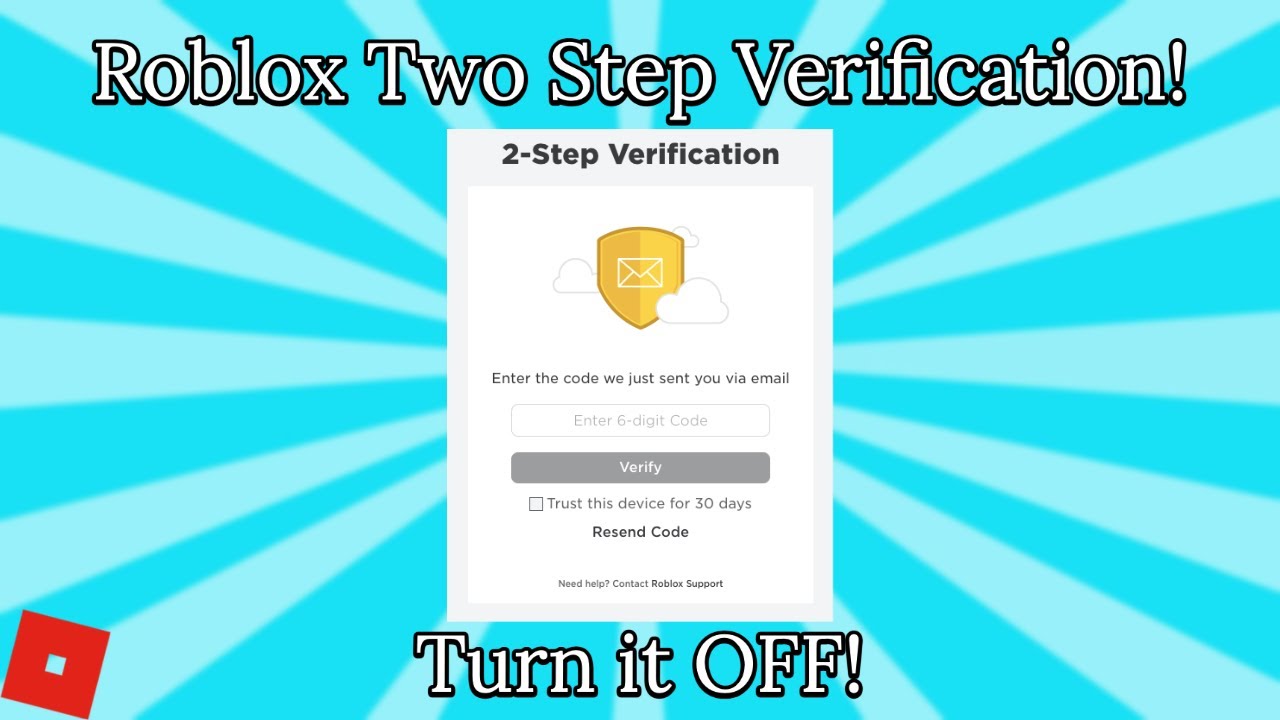
How To Disable 2 Step On Roblox Tech How Free Word Template . How To Turn Off Two Step On Roblox 2026 YouTube . How To Turn Off 2 Step On Roblox In SECONDS YouTube . 2 Step Roblox Support Mceclip0 . How To Disable 2 Step On Roblox YouTube

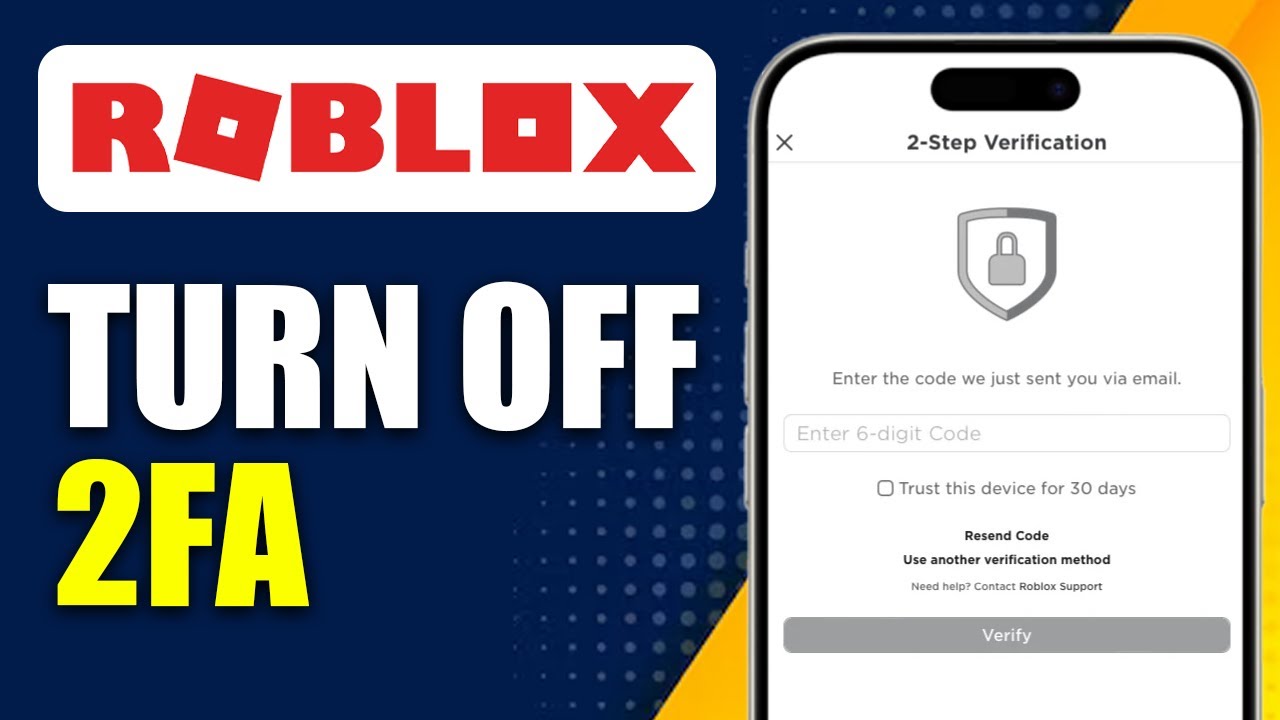

How To Turn Off Two Step Code On Roblox Only Way YouTube . How To Turn On 2 Step Roblox At Harry Stedman Blog . How To Turn Off Two Step On Roblox Mobile 2026 UPDATED . How To Turn Off Two Step On Roblox YouTube . How To Turn Off 2 Step On Roblox Without Logging In Full



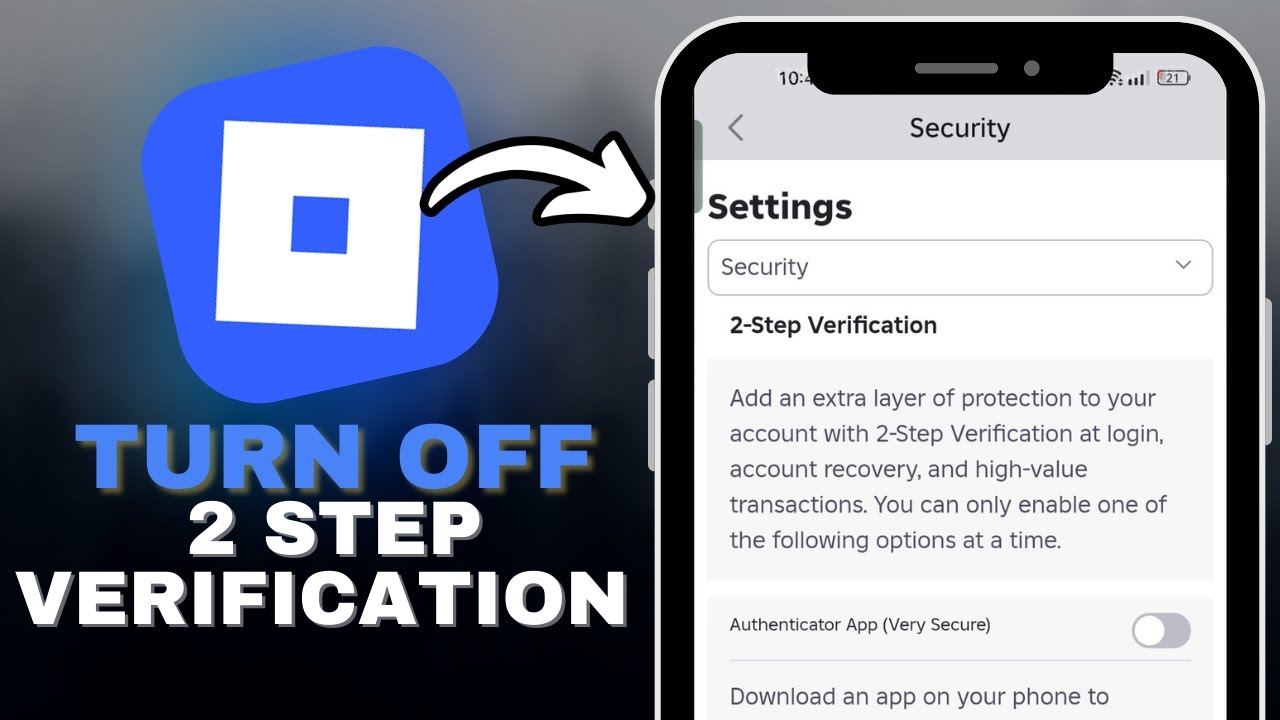
How To Turn Off Two Step On Roblox YouTube . How To Disable 2 Step On Roblox Tech How 2 Step Settings. How To Turn On 2 Step Roblox At Harry Stedman Blog . How To Turn ON And OFF Roblox 2 Step Mistakes To Avoid 1how To Turn On And Off Roblox 2 Step . How To Turn Off 2 Step On Roblox In SECONDS YouTube


How To Turn On 2 Step Roblox At Harry Stedman Blog . How To Turn On 2 Step Roblox At Harry Stedman Blog . How To Turn On 2 Step Roblox At Harry Stedman Blog . How To Turn On 2 Step Roblox At Harry Stedman Blog . 2 Step Not Working Codes Not Sending 2 494x499


How To Fix Roblox 2 Step Not Sending Followchain Roblox Not Sending 2edit . How To Turn On Two Step On Roblox Enable . How To Turn On 2 Step In Roblox Step By Step YouTube . How To Setup Roblox 2 Step Full Guide YouTube . How To Add 2 Step Roblox 2026 UPDATED YouTube



How To Enable 2 Step App For Roblox YouTube . How To Turn On 2 Step Roblox At Harry Stedman Blog . How To Turn On 2 Step Roblox At Harry Stedman Blog . Introducing 2 Step With A Second Device . What Peripheral Devices Are Full Guide For 2026 How To Turn Off 2 Step


How To TURN OFF 2 Step On Roblox YouTube . How To Turn On 2 Step Roblox At Harry Stedman Blog . How To Turn Off 2 Step On Roblox Computer Mobile YouTube . How To Turn On 2 Step Roblox At Harry Stedman Blog . How To Fix Roblox 2 Step Not Receiving Email Problem How To Fix Roblox 2 Step Not Receiving Email Problem